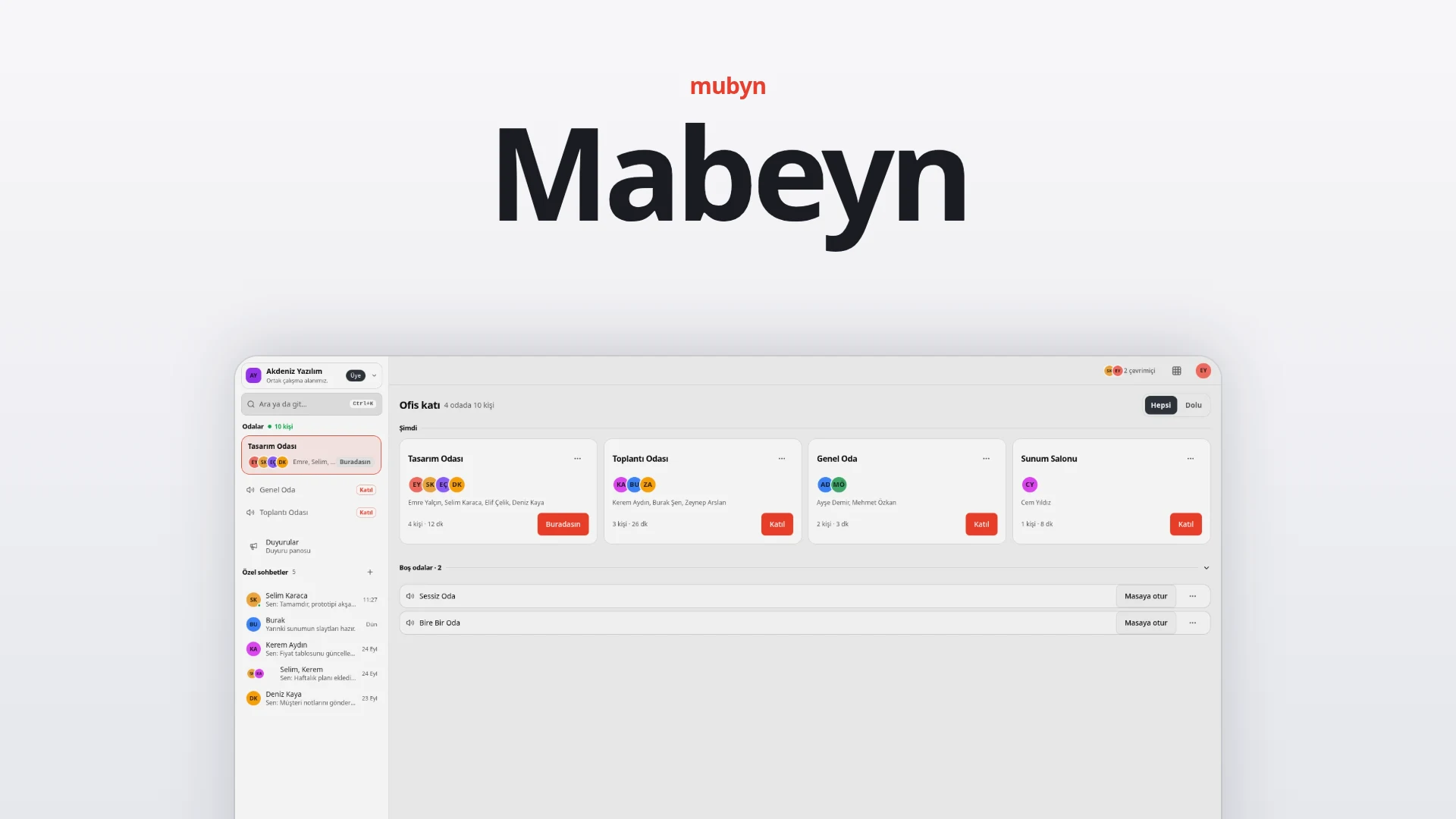
Your team in one virtual office. What was said is not forgotten.
Mabeyn is a virtual office where your team meets in one place instead of hopping between scattered tools. You join voice rooms, chat, share documents, track tasks and plan meetings; room conversations are recorded, written out and arrive with an AI summary.
At a glance
Who it is for
Teams that work remotely or from different places, and organizations with a heavy meeting load. You sign in with a Mubyn account; each team meets in its own workspace.
What it solves
You can see who is available, and chat, files, tasks and meetings stay in one place. Meetings are recorded and written out, so decisions and action items do not get lost.
How it works
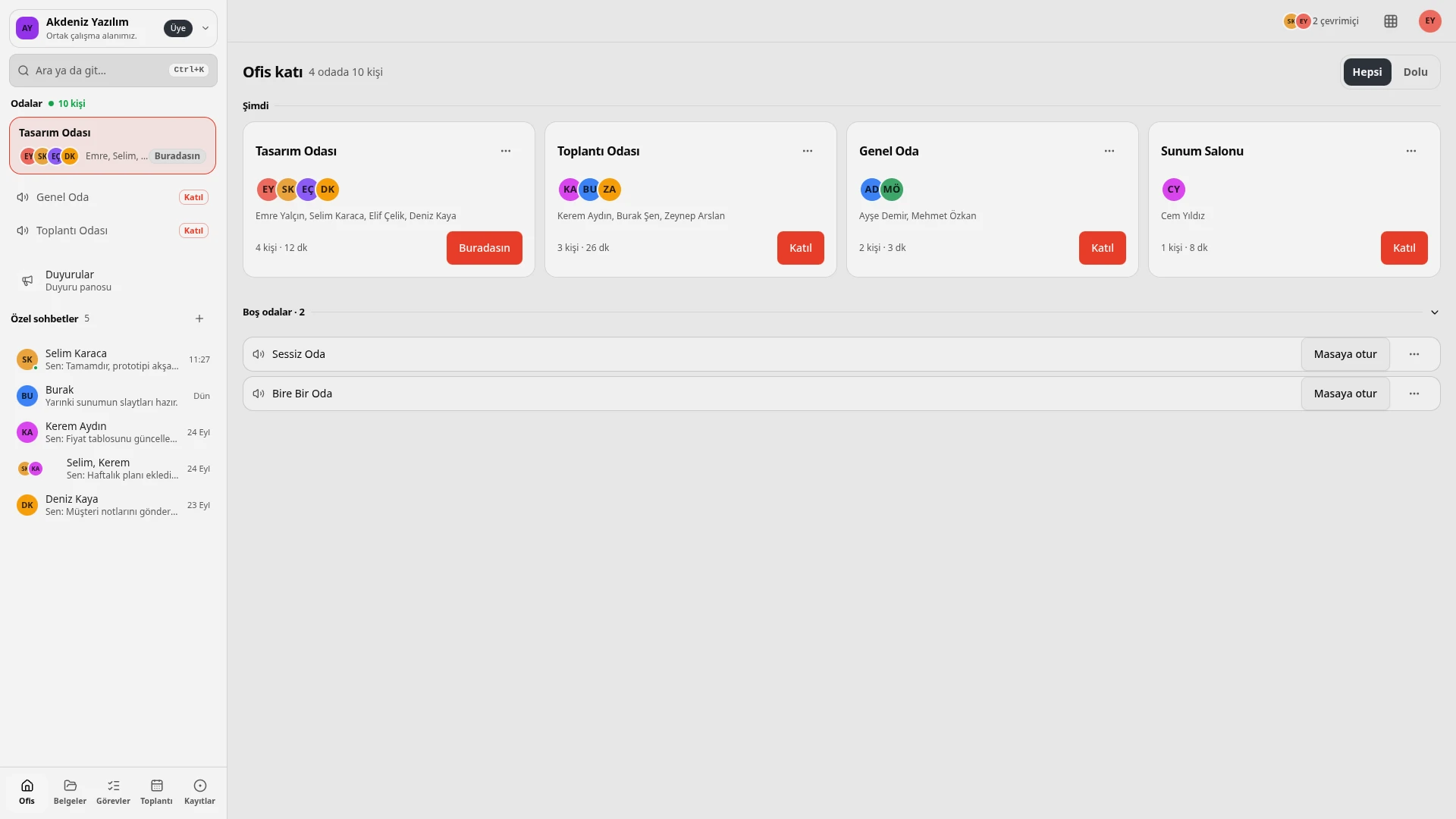
- Step into the office. On the office floor, rooms appear as cards; you see who is in which room and for how long.
- Join a room. "Join" takes you into a room; in an empty room, "Take a seat" puts you at the desk.
- Work together. Chat, share documents and follow tasks on the board.
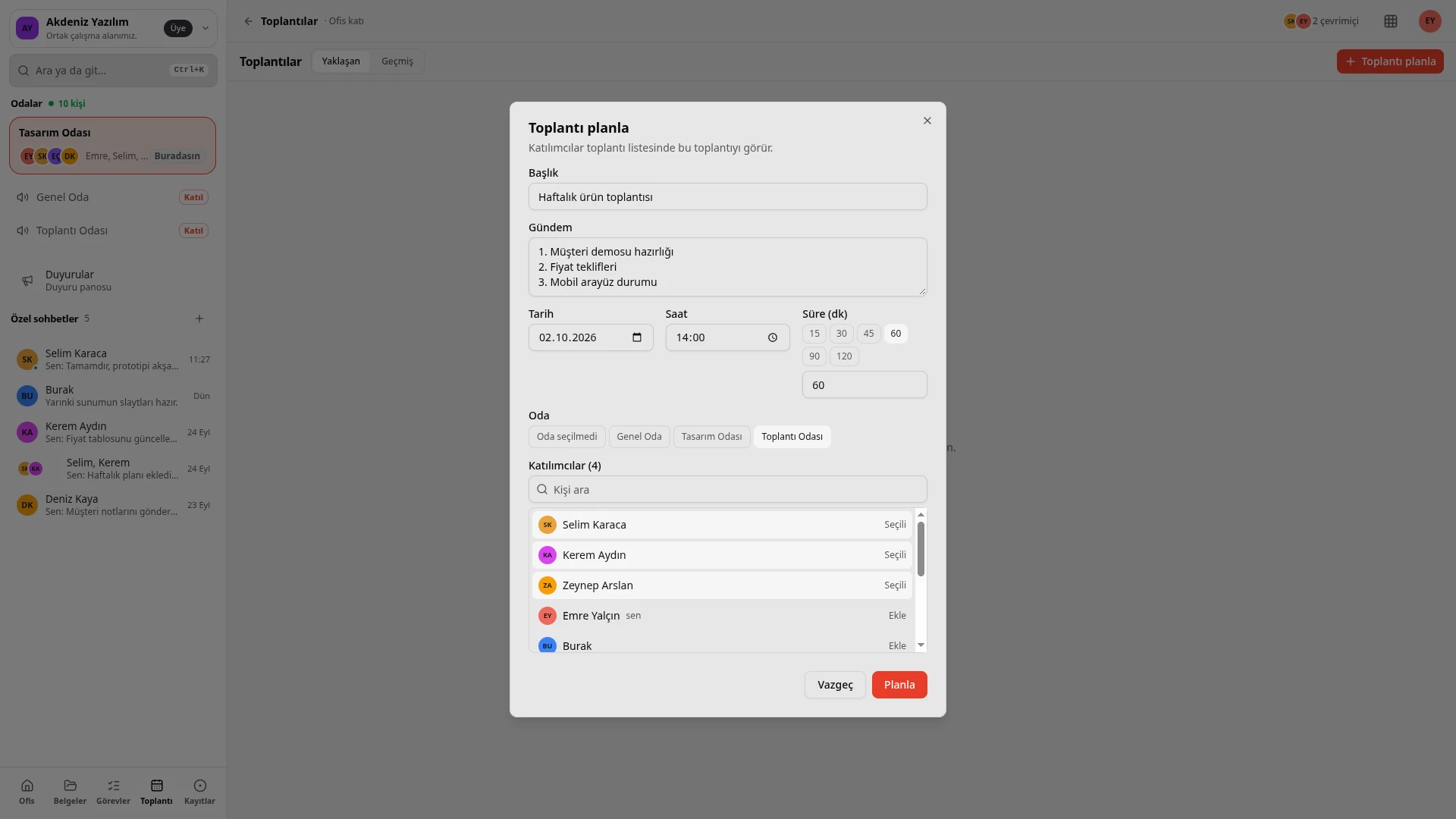
- Plan the meeting. Pick the title, agenda, date, duration, room and attendees.
- Record it. The room conversation is recorded and transcribed by speaker.
- Get the summary. AI produces the meeting minutes: summary, decisions, action items.
Be together
Office floor and voice rooms
Rooms appear as cards, with the avatars of those inside and how long they have been there. "Join" enters a room, and "Take a seat" is all it takes in an empty one.
Availability
Available, Busy, Focused and Away statuses, plus a status note, tell the team who can talk and when.
Chat
One-to-one and group chats, file attachments, a call button and AI help sit right next to the work. "Summarize what I missed" gets you up to speed on a conversation you were away from.
Announcements
There is an announcement board that authorized people write and everyone reads.
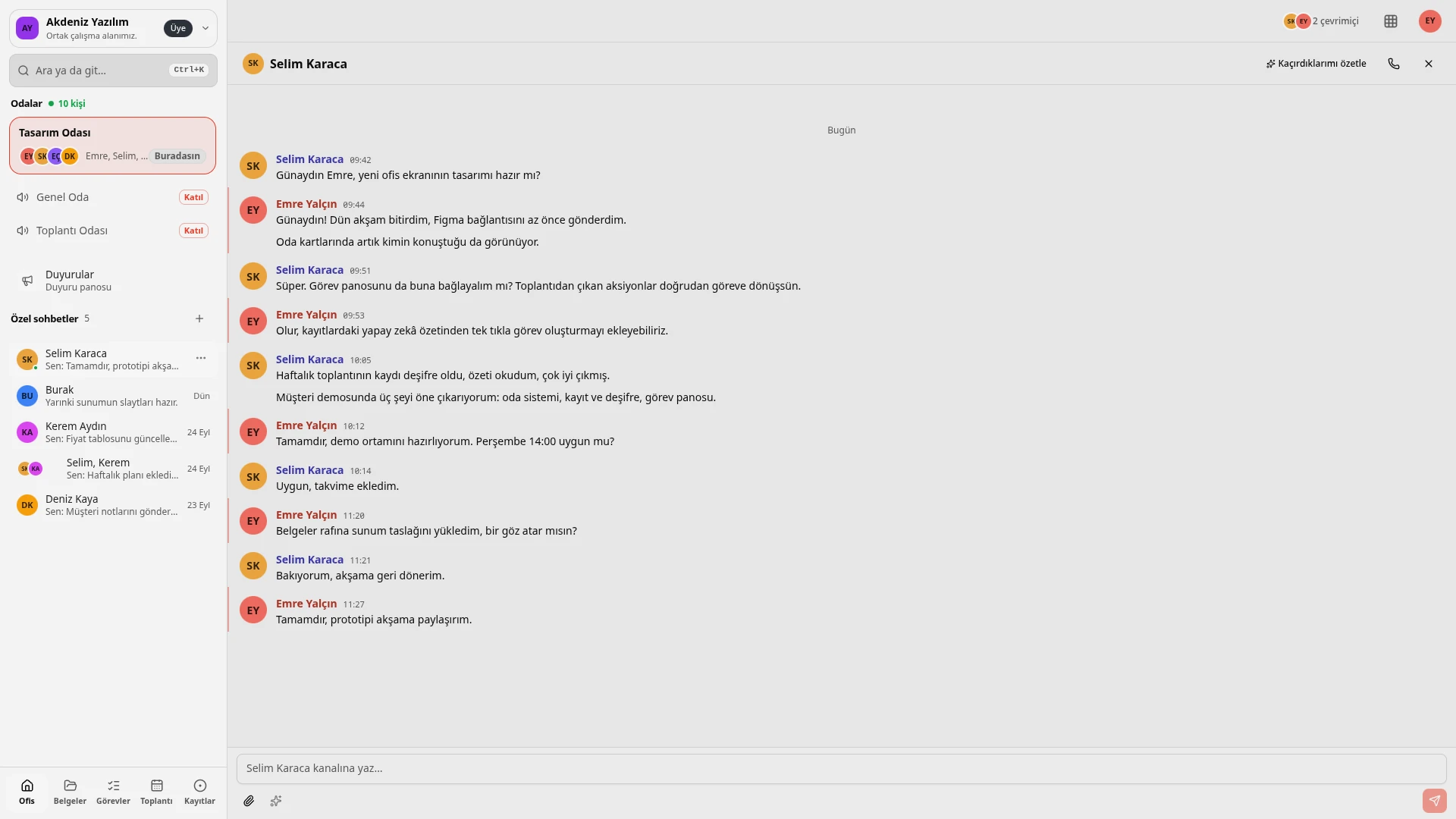
Authorized people write on the announcements board; everyone reads it.
Get it done together
Documents
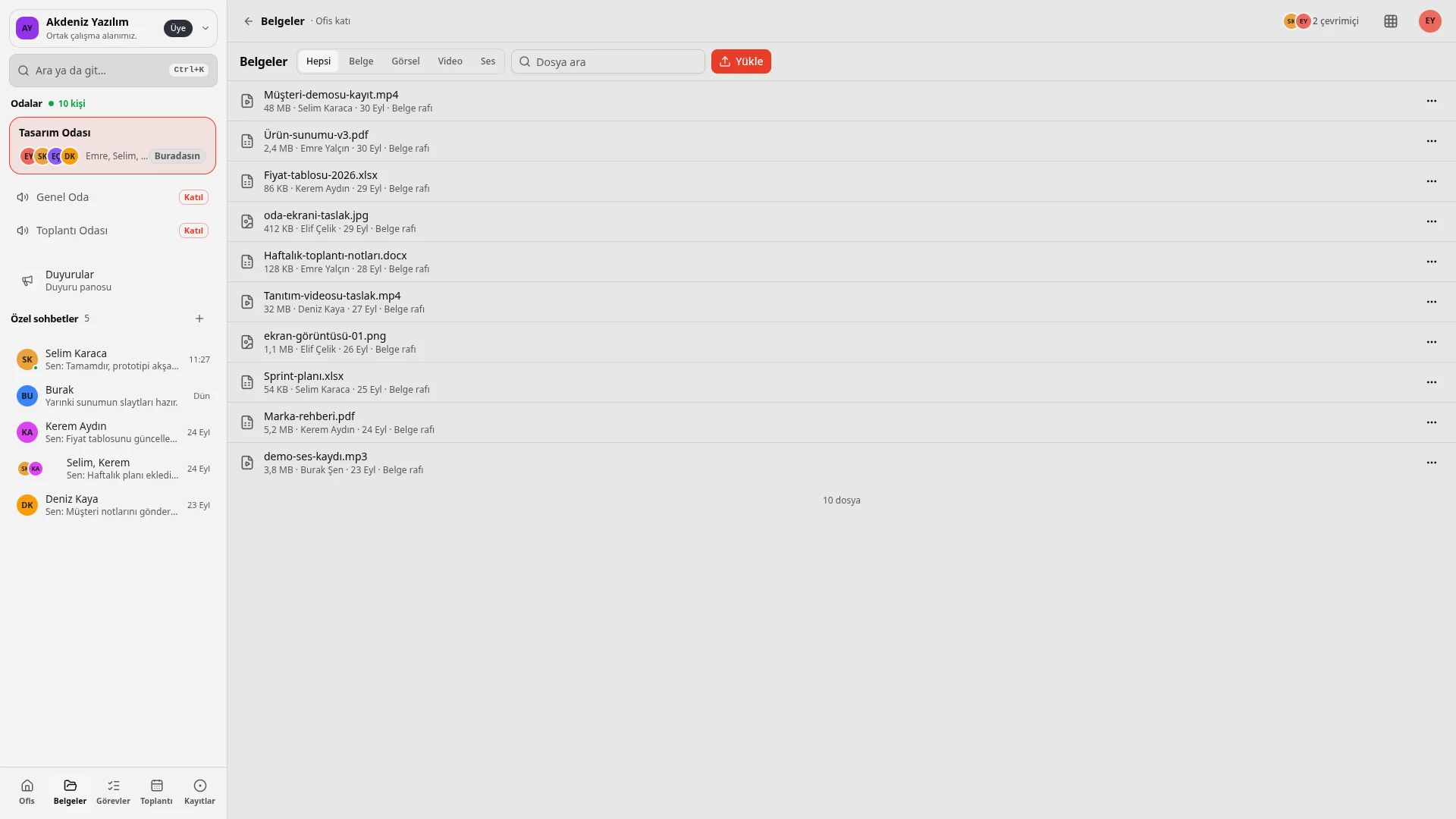
The shared shelf holds documents, images, video and audio files; filter by type and find things by search.
Tasks
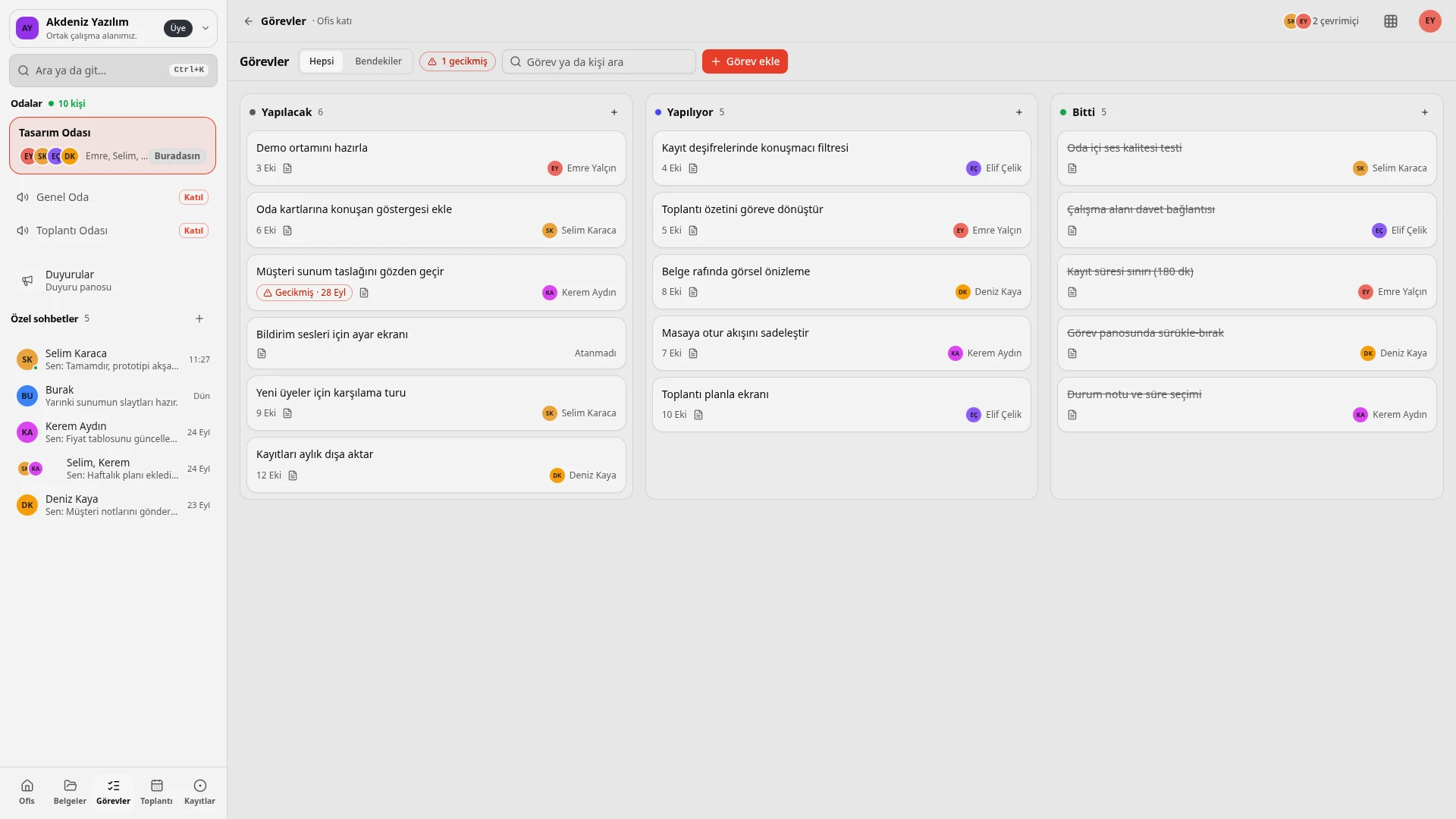
A board with To do, In progress and Done columns. Each card shows the assignee and due date, and overdue tasks are flagged with a warning.
Meetings
Plan a meeting with a title, agenda, date, duration, room and attendees. Upcoming and Past tabs keep them all together.
Don't forget
Room recording
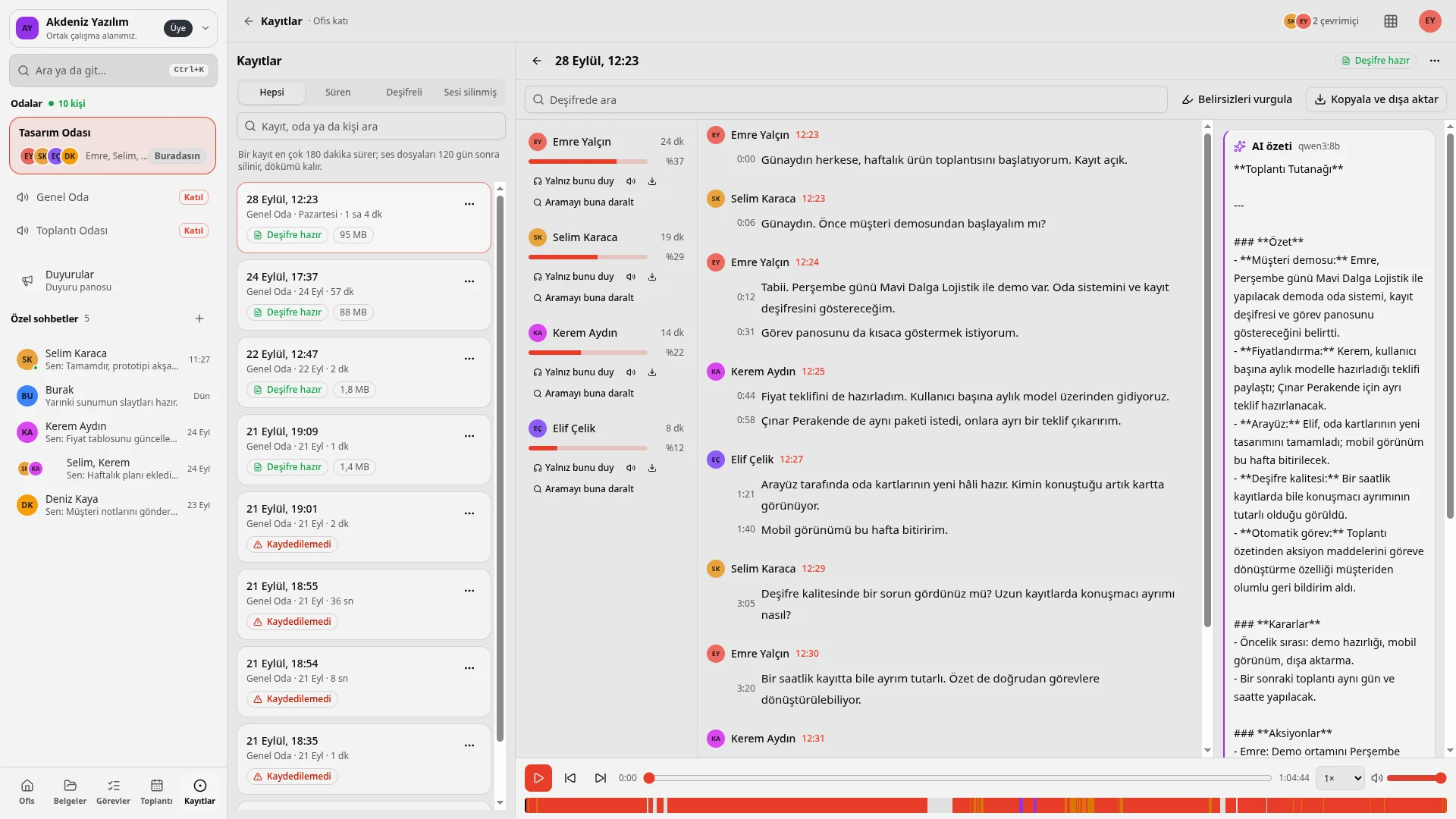
The room conversation is recorded. The Recordings list has All, Duration, Transcribed and Audio deleted tabs, and you can search by recording, room or person.
Transcript by speaker
The conversation is written out with time stamps, showing who said what and when. Each speaker's share of the talk appears as a percentage, and you can search within the transcript.
Hear just this
Listen to one speaker on their own and narrow the search to that speaker.
AI summary
Each recording gets meeting minutes: a summary, decisions and action items. The moment a meeting ends, "what was discussed and who does what" is ready.
A recording runs for 180 minutes at most. Audio files are deleted after 120 days; the written transcript stays.
All sections together
| Section | What it is for |
|---|---|
| Office | Rooms, who is where, the private chat list |
| Documents | Shared document shelf, type filter and search |
| Tasks | To do, In progress, Done board |
| Meetings | Planning, Upcoming and Past tabs |
| Recordings | Room recordings, transcripts and AI summaries |
Quick search
Ctrl+K searches rooms, people and messages.
Notifications and theme
Notification sounds and browser notifications can be turned on; the interface works with a light, dark or system theme.
Common questions
What is Mabeyn?
A workspace where teams meet in one virtual office: voice rooms, chat, a document shelf, a task board, meeting planning, room recording and an AI summary together.
How do I sign in?
You sign in with a Mubyn account.
How do people show their availability?
Pick one of Available, Busy, Focused or Away; an optional status note can be added.
How long can a recording be, and how long is it kept?
A recording runs for 180 minutes at most. Audio files are deleted after 120 days, and the written transcript stays.
What does the transcript include?
Text by speaker, time stamps and each speaker's share of the talk as a percentage. You can search the transcript and listen to one speaker on their own with "Hear just this".
What does the AI summary contain?
Meeting minutes: a summary, decisions and action items.
Let's get to know Mabeyn
Let's talk through how it would fit your team.