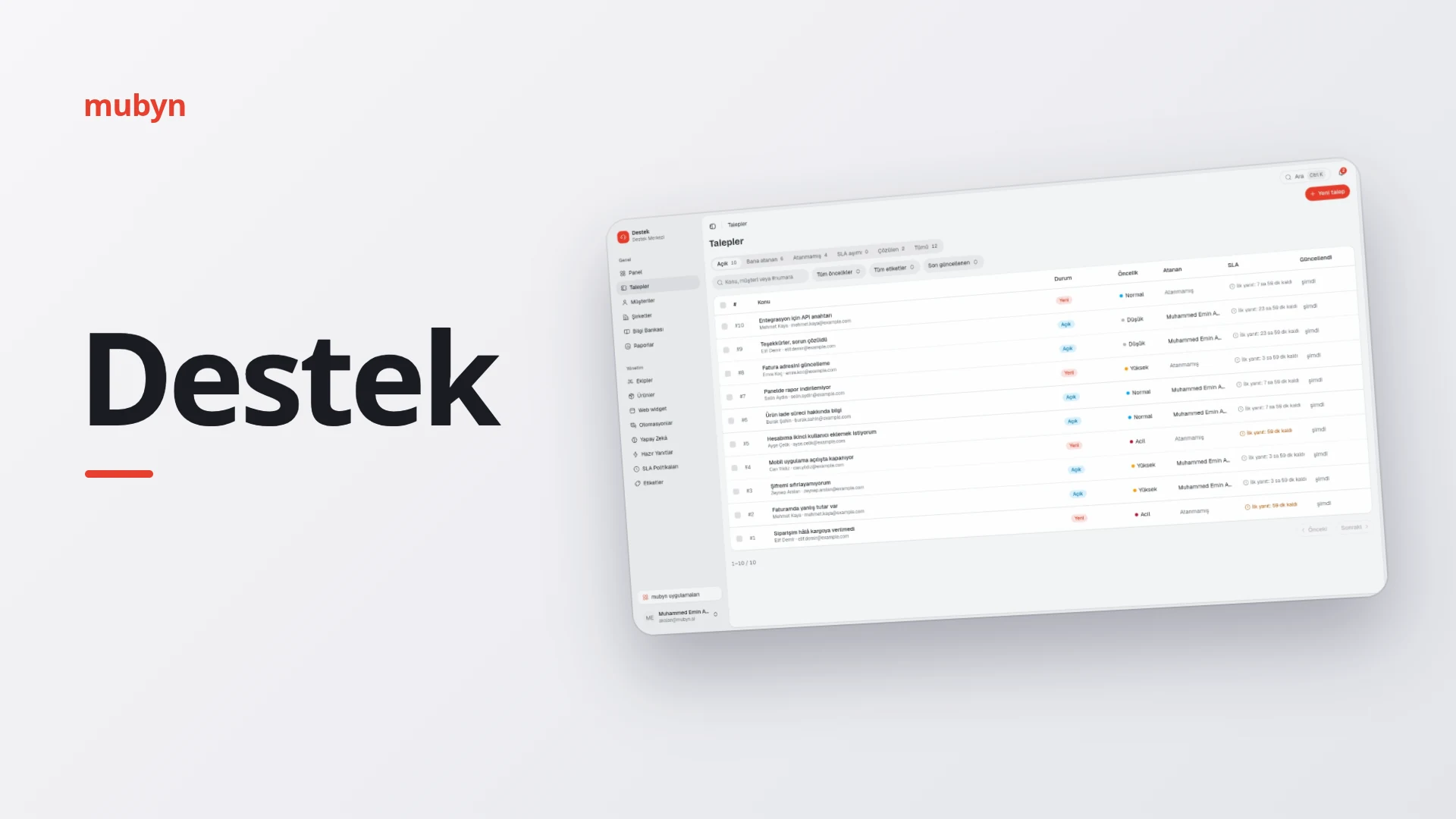
One screen instead of scattered e-mails and messages: Destek is a customer support management system that gathers requests from your customers through the support widget on your website, e-mail and your own app in a single place. Rules running in the background and an AI that stands by you like an assistant lighten the load.
At a glance
Who it is for
Any business with its own product or site that receives support requests regularly, from a small team to a multi-brand company. Teams, products, brand appearance and permissions are defined separately.
What it solves
Gathers scattered e-mails and messages on one screen. An agent sees the customer's whole history on a single timeline; response deadlines are tracked automatically, and the assistant answers simple questions.
How it works
- A request arrives. From the website widget, e-mail or your own app; all of them land in the same list.
- AI assesses it. It judges urgency, the right team, the topic and the customer's mood, and suggests merging it with the same customer's open request from the last 30 days. Suspected spam drops into a separate holding list.
- Rules route it. The request goes to the right team and a notification is sent.
- An agent replies. A summary, a knowledge base article, a canned reply or the assistant's draft is at hand; before sending, the reply goes through a tone and confidential-information check.
- Time is tracked. The SLA indicator runs live, and the timer stops while waiting for the customer's reply.
- Satisfaction is asked. When the request is closed, an e-mail in your brand's look goes out after the wait time you set; the customer gives feedback with one click.
Requests
All channels in one inbox
Requests from the website widget, e-mail and your own app are gathered in one list. The Open, Assigned to me, Unassigned, Overdue and Resolved tabs come with live counts; search and filters take you to the request you need.
Request management
Internal notes and customer replies are written separately, teammates are mentioned with @, and files are attached by drag and drop or paste. Each request's history shows who did what and when; an agent can also open a request on behalf of a customer.
Bulk actions
Labels, status, priority and assignment can be changed together on up to 100 requests. A bulk reply is personalized for each customer and goes through double confirmation; requests can be merged in bulk.
Knowledge base and canned replies
Articles are organized into categories, searchable, and can be drafts or published. Canned replies contain variables such as the customer name and request number, and can apply a status, priority and label. AI drafts articles from resolved requests without any customer data.
A bulk reply asks for double confirmation, and at most 100 requests are processed at a time.
Automation and SLA
Automations
Rules run when a request is created or updated, when time runs out, or when the AI assessment finishes; they change status, priority, assignment and labels, add internal notes, and send e-mails to customers and notifications. Ready-made templates are available; rules do not trigger one another, and conflicts are shown with a warning.
SLA targets
First response and resolution targets are set by priority; a company-specific policy such as VIP can be added. Targets are calculated by 24/7 or business hours, the shared work calendar and public holidays. The timer stops while waiting for the customer's reply.
Satisfaction and spam protection
After a request is closed, a survey goes out automatically; customers vote with one click and can leave a comment, comments are classified by topic and appear in the periodic report. AI filters spam; suspicious requests wait in the holding list for a "Not spam" or "Delete" decision.
Overview and Reports
The Overview has 5 indicators, a 14-day volume chart, an SLA summary, agent workload and priority distribution. Reports compare 7, 30 or 90 days with the previous period: satisfaction, complaint topics, agent and team performance, top topics, channel distribution.
Notifications and customer records
The bell, desktop notifications and e-mail preference are adjustable; no delayed e-mail is sent for a notification already seen in the app. Customer and company records are kept, and a customer is linked to a company automatically from the domain of their e-mail address.
AI
An assistant by your side
Summarizes the request, fixes a reply, or makes it more formal, friendlier or shorter. Offers suggestions for merging, canned replies and a pre-send check.
Custom decisions
Define custom decisions with 8 ready-made templates such as refund request, angry customer and churn risk; try them without saving and track the hit rate.
The auto-reply assistant relies only on the articles in your knowledge base. If it cannot find the answer, or the customer is angry, it hands the request over to a person with a summary; it never asks the customer for a password or card details. The starting mode is draft: the assistant prepares, you send.
Real personal data is masked before it reaches the AI. No customer data goes into the article drafts the assistant writes either.
Integration and security
| Channel | How it connects | What happens |
|---|---|---|
| Website | Support widget with one line of code | Title, welcome text and color are customizable, with a live preview |
| E-mail connection | Incoming e-mail turns into a request automatically | |
| Your own app | Per-product API key, signed webhook | Requests are opened, history is read, replies and files are sent; replies and status changes come back to your system |
Support widget and external connections
The widget is added to your site with one line of code; title, welcome text and color are customizable, with a live preview. The e-mail connection turns incoming e-mail into requests automatically. External systems connect with product-specific signed webhooks and API keys.
Team and security
Only an admin creates accounts; the agent or admin role is assigned, and accounts can be deactivated. A lockout kicks in after failed sign-ins, and other sessions close when the password changes. One box searches requests, customers, companies and articles; search ignores differences in Turkish letters.
An API key is shown only once and can be revoked. Webhooks bring replies and status changes into your system; internal notes never leave.
Common questions
Does AI write to customers on its own?
The starting mode is draft: the assistant prepares a reply and you send it. If you like, you can switch to a mode where it replies on its own; a confidence threshold is adjustable. A reply that is not based on an article never goes to the customer; the assistant hands the request over to an agent with a summary.
Does AI make up things it does not know?
No. The auto-reply assistant relies only on the articles in your knowledge base; if it cannot find the answer, it hands over to a person. It also hands over when the customer is angry, and it never asks the customer for a password or card details.
Does customers' personal data go to the AI?
Real personal data is masked before it reaches the AI. No customer data goes into the article drafts the assistant writes either.
Can we open requests from our own products?
Yes. With a per-product API key, an external system can open requests, read history, and send replies and files. The key is shown only once and can be revoked. Signed webhooks bring replies and status changes into your own system; internal notes never leave.
How do deadlines work at night and on weekends?
The SLA is calculated by the work calendar you define: 24/7 or business hours, including public holidays. So nights and weekends do not show up as unfair delays. The timer stops while waiting for the customer's reply.
What happens to repeated requests from the same customer?
AI suggests merging with the same customer's open request from the last 30 days; the agent decides. If requests from different customers are merged, the other customer is notified.
How does the satisfaction survey work?
When a request is closed, an e-mail in your brand's look goes out after the wait time you set. The customer says yes or no with one click and may leave a comment; the result is reported to the agent. If the customer replies to the e-mail, the request is reopened. The survey is not sent for past requests.
Could we make a mistake in a bulk action?
A bulk reply asks for double confirmation and at most 100 requests are processed at a time. Automation rules do not trigger one another, and a warning is shown for conflicting rules.
Let's get to know Destek
Let's talk about how it fits your team and your product.